CAD Guardian helps engineering and manufacturing teams automate CAD work, connect technical systems, and make critical delivery workflows easier to own.
Loading page
Mechanical design and product data
SolidWorks and PDM automation for release-ready product data.
CAD Guardian improves SolidWorks and PDM work across parts, assemblies, configurations, drawings, properties, BOMs, references, states, and release automation.
SLDPRT, SLDASM, SLDDRW, configurations, properties, drawings, and BOMs
Control
References, states, metadata, approval, release, and package readiness
starting point
One product family, configuration class, drawing package, or state path
Validation
Representative files, expected properties, references, BOMs, and outputs
Implementation model01 / 01
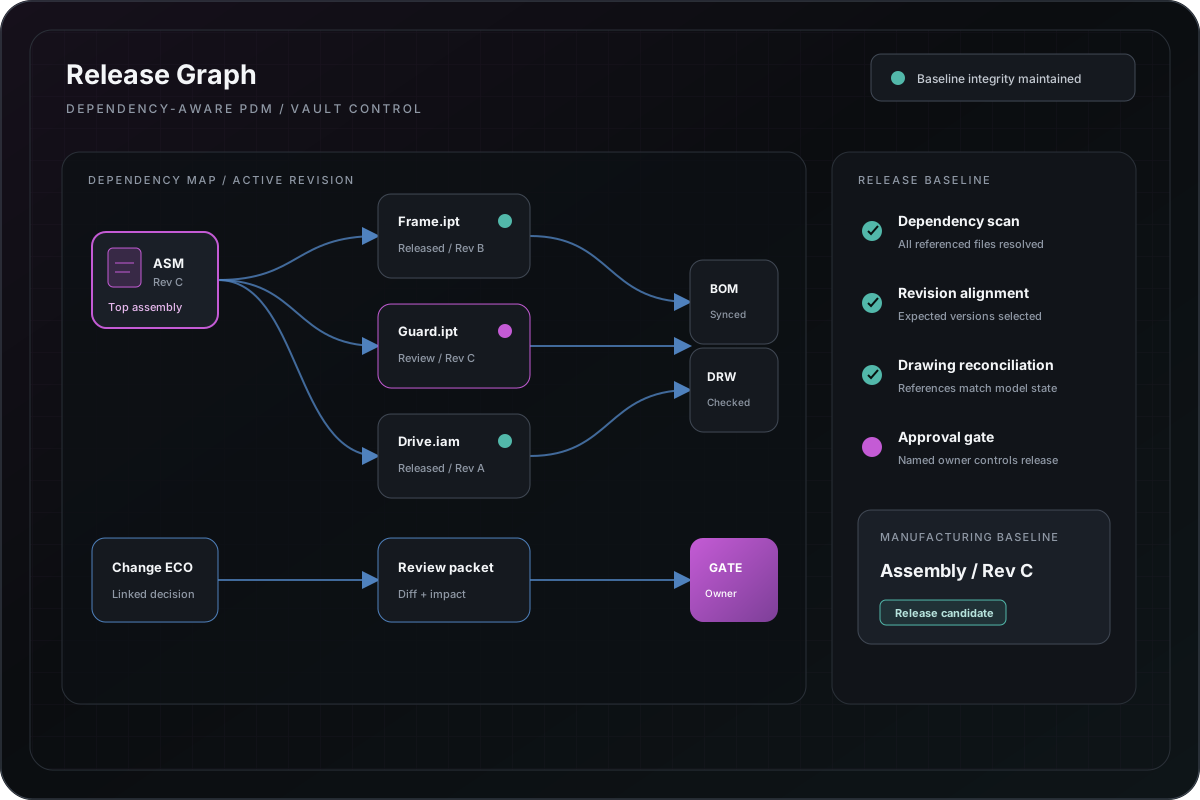
Implementation diagramVault and PDM release graph
Lifecycle automation is framed as an owned state-and-evidence system, not a hidden sequence of file operations.
Platform fit
Best when product-data cleanup and automation can share one validation set.
SolidWorks automation becomes safer when references, configurations, properties, drawings, BOMs, and PDM states are reviewed as one release path instead of separate technical tasks.
Repeated part, assembly, drawing, property, configuration, or BOM work
Broken references, inconsistent metadata, or uncertain release readiness
PDM state, card, approval, transition, and package-output friction
Macros, scripts, add-ins, or manual routines that need controlled modernization
Capabilities
Implement around product relationships and release evidence.
SolidWorks API and C#/.NET add-in or utility development
Part, assembly, drawing, configuration, property, and BOM automation
Reference, file, metadata, drawing, and release-readiness checks
PDM-aware state, card, transition, batch, and package workflows
Exception reports, diagnostics, deployment, and support handoff
Integration
Connect product data to the records that consume it.
PDM, PLM, ERP, estimating, document, reporting, and workflow applications
BOM, property, revision, release, package, and production handoff
APIs, SQL, spreadsheets, files, and controlled imports or exports
Status, exception, reconciliation, audit, and support reporting
Modernization
Preserve product behavior while clarifying release ownership.
01 — Inventory files, configurations, references, properties, states, and outputs.
02 — Capture representative product families and accepted release examples.
03 — Separate CAD operations, product rules, PDM interaction, UI, and logging.
04 — Validate parity, exceptions, and performance in the target environment.
05 — Release with deployment, rollback, diagnostics, and an accountable owner.
Relevant implementation
Evidence uses generalized product-data and release patterns.
public demonstrations can demonstrate architecture and validation strategy without exposing proprietary product structures. Native files and PDM records require an agreed private review path.
Turn quoting into a governed path from RFQ intake to engineering handoff.
The problem was not simply replacing Excel. The useful rules and operator knowledge had to survive while request quality, configuration state, documents, status, and responsibility became easier to inspect.
Configurations, references, add-ins, and PDM context require representative testing.
Production confidence depends on the target SolidWorks and PDM releases, templates, references, custom properties, add-ins, file locations, permissions, and representative product structures.
Large assemblies and complex configuration families require bounded performance testing
PDM behavior depends on vault configuration, permissions, state, and client context
Automated readiness checks do not replace accountable engineering release review
Next step
Bring the SolidWorks and PDM workflow that needs to move faster and release reliably.
Name the current workflow, accepted output, platform version, dependencies, known failure cases, and the first decision the engagement should resolve.