CAD Guardian helps engineering and manufacturing teams automate CAD work, connect technical systems, and make critical delivery workflows easier to own.
Loading page
CAD automation
Turn repeated CAD work into a dependable production workflow.
CAD Guardian automates drafting, modeling, BOM, export, and drawing-package work while preserving the standards, exceptions, and release decisions engineers rely on.
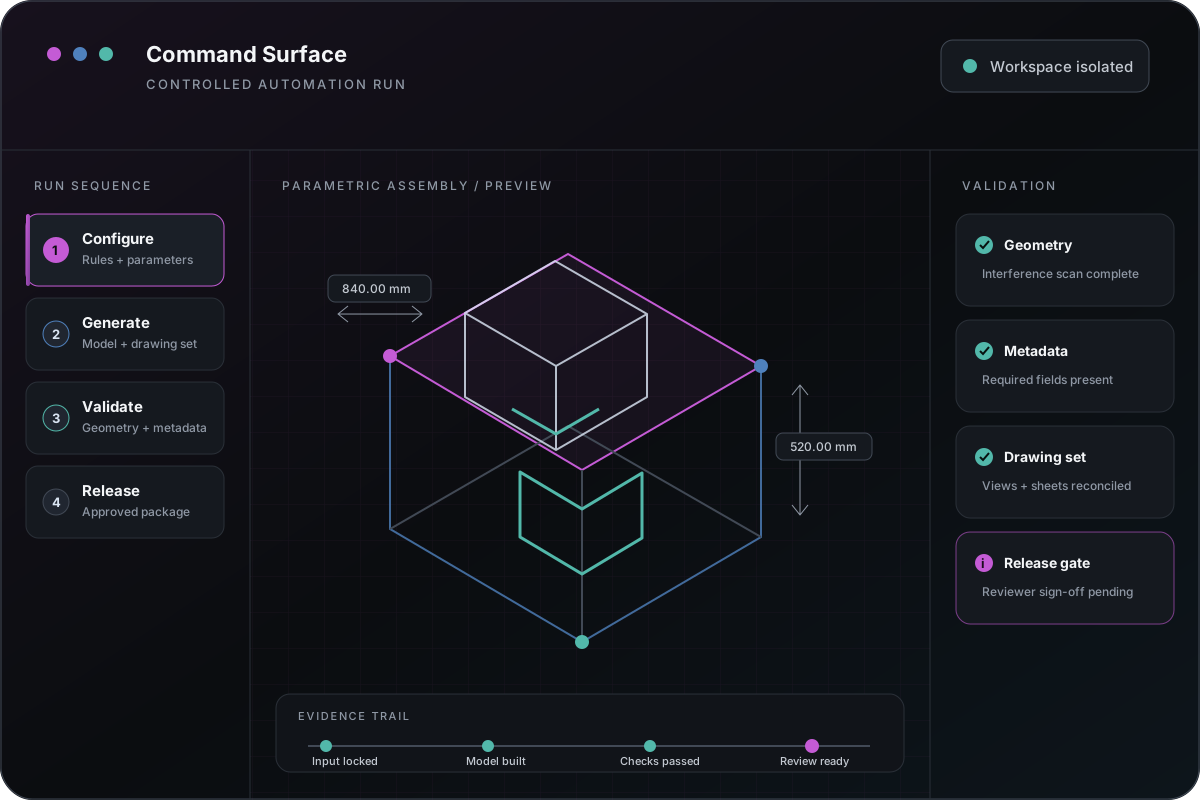
A representative operating model for keeping commands, rules, exceptions, review, and release evidence visible.
Operating problem
The automation request is rarely just a command.
Repeated CAD work usually carries standards, file assumptions, downstream dependencies, and judgment that are not visible in the original request.
A routine may save hours and still be risky to change because nobody has documented the accepted output, exceptions, deployment path, or support owner. The first task is to make those operating rules visible before implementation expands.
Manual drawing, model, property, BOM, export, or package steps
Unsupported scripts, macros, add-ins, and desktop utilities
Inconsistent standards, templates, blocks, parameters, or metadata
Automation output that still requires extensive manual inspection
Service scope
A focused workflow from input through reviewed output.
The engagement isolates the users, files, platform APIs, rules, generated artifacts, exception paths, and review gates for one workflow. Broader modernization is separated from the first useful delivery decision.
Workflow and input/output contract
CAD API, runtime, licensing, and deployment boundary
Rules, standards, and data ownership map
Exception handling and manual fallback
Pilot, modernization, or containment recommendation
Deliverables
Artifacts the operating team can inspect and own.
Architecture
Workflow, runtime, data, and dependency map
Implementation
Focused automation or modernization slice
Validation
Accepted-example comparison and exception report
Operations
Deployment, rollback, support, and handoff notes
Implementation model01 / 01
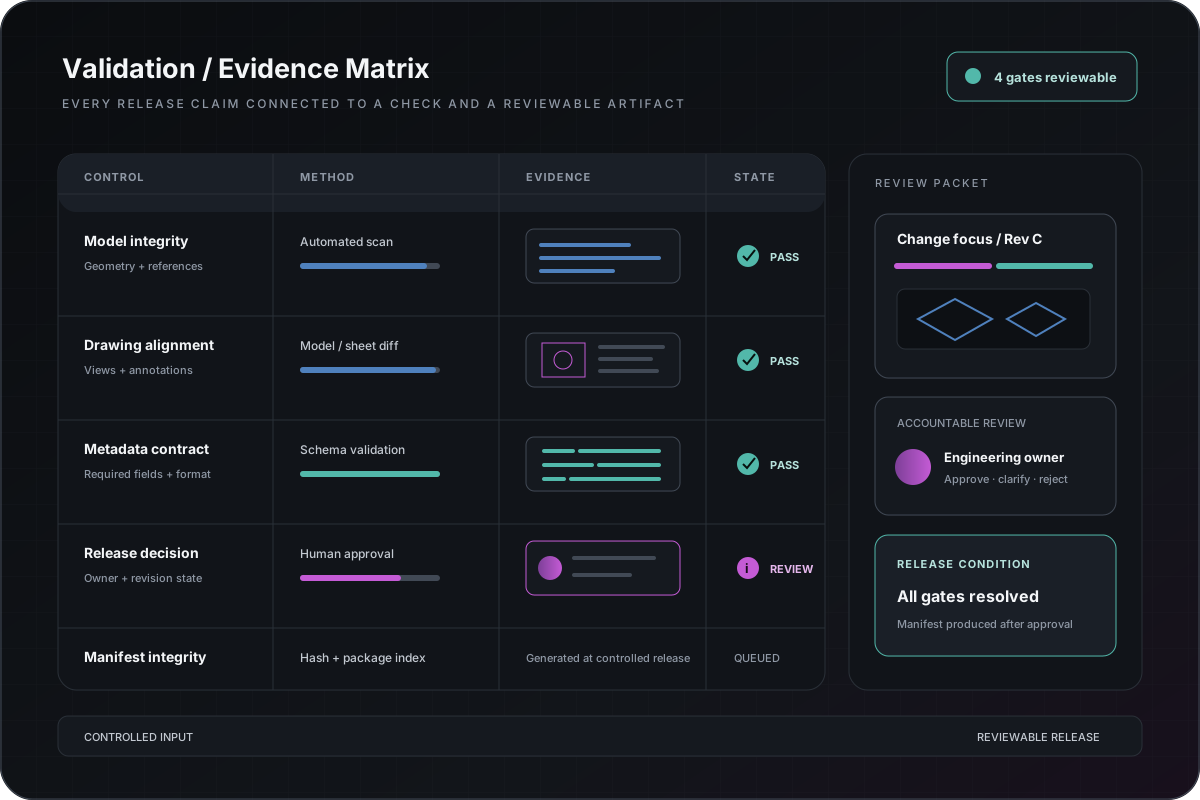
Implementation diagramValidation and evidence matrix
The model shows accepted examples, deterministic checks, exceptions, reviewer decisions, and handoff without exposing protected customer artifacts.
Delivery process
Prove one workflow before scaling the automation surface.
01 — Observe the current operator path and trusted output.
02 — Define inputs, rules, exclusions, and review ownership.
03 — Build or modernize the smallest production-shaped slice.
04 — Compare results with accepted examples and failure cases.
05 — Handoff the release boundary and next expansion decision.
Relevant implementation
public demonstrations demonstrates the method, not private customer files.
CAD Guardian publishes generalized case patterns and runnable public-fixture runnable demonstrations where appropriate. Native CAD execution, proprietary drawings, customer data, and production claims require the relevant private or licensed environment.
Start when the team can name one workflow and one trusted output.
A productive first conversation identifies the platform, repeated work, output class, failure mode, available examples, examples available for later review, and decision owner.
Assessment or technical rescue when the boundary is unclear
Prototype when one deterministic output can be isolated
Implementation slice when acceptance rules and ownership are known
Modernization when trusted behavior must survive a platform or code change
Related implementation stories
See how the approach changed real operating work.
Start with the business pressure and result, then open the technical appendix when your team needs implementation depth.
Engineering systems implementationManufacturing
Drive the quote, CAD model, BOM, and drawing package from one door-frame decision.
Door-frame decisions were repeated across quote inputs, CAD parameters, material logic, and drawing output, increasing re-entry and mismatch risk.
2,125 canonical latest-revision Door Frame quote families