Career and leadership
When 95 Percent Is Not Enough in CAD Automation
Explains when to automate, when to keep a human gate, and how to design review loops for edge cases that should not be hidden behind false confidence.
Decision brief
Use this article as a routing artifact, not passive content.
Read time
6 min
Updated
May 30, 2026
Route
Career and leadership
Why it matters
Explains when to automate, when to keep a human gate, and how to design review loops for edge cases that should not be hidden behind false confidence. The useful signal is the operating judgment behind the topic: scope, data boundaries, proof, UAT, and handoff.
Best lens
Read it through Autodesk API, CAD Automation, Deployment and decide which service, proof artifact, or leadership conversation it supports.
Next action
Connect the writing to resume evidence, flagship outcomes, and staff-level engineering software fit.
Review software leadership proofContentsJump sections
Evaluation note
Explains when to automate, when to keep a human gate, and how to design review loops for edge cases that should not be hidden behind false confidence. Use it as a practical routing note: what problem is being described, what infrastructure is required, what guardrails matter, and what proof a buyer or hiring manager should ask to see.
CAD Guardian field context
This article is about honest automation. Some workflows can be fully automated; others need a human checkpoint because the last five percent carries the risk. The mature answer is not pretending the edge cases disappeared.
- Usefulness: connects drafting knowledge, software boundaries, and business review so automation improves output quality instead of hiding risk.
- Infrastructure: sample drawings, model intent, standards, fixture files, validation examples, senior drafter review, logs, and handoff notes.
- Guardrails: least-privilege access, private-data minimization, approved AI-use boundaries, test data, UAT, runtime proof, and written acceptance criteria.
- Who benefits: CAD drafters, API developers, CAD managers, manufacturing teams, AEC teams, and buyers funding automation work.
Introduction: The Myth of the Perfect Automation
Every CAD automation developer eventually runs into a wall: a problem that works flawlessly in 95% of situations but stubbornly refuses to hit 100% accuracy.
That last 5% feels personal. It makes you question your skills. It creates anxiety about production deployments. It tempts you to rewrite the entire solution even when the foundation is solid.
This article exists to tell you the truth:
Impossible-to-perfect problems are part of this career. They do not mean you’re failing. They mean you’re playing at the level where the real engineering challenges live.
A Real Example: The 95% Miter Algorithm
You once built an architectural automation that calculated every required miter along a ceiling trim path or LED reveal path.
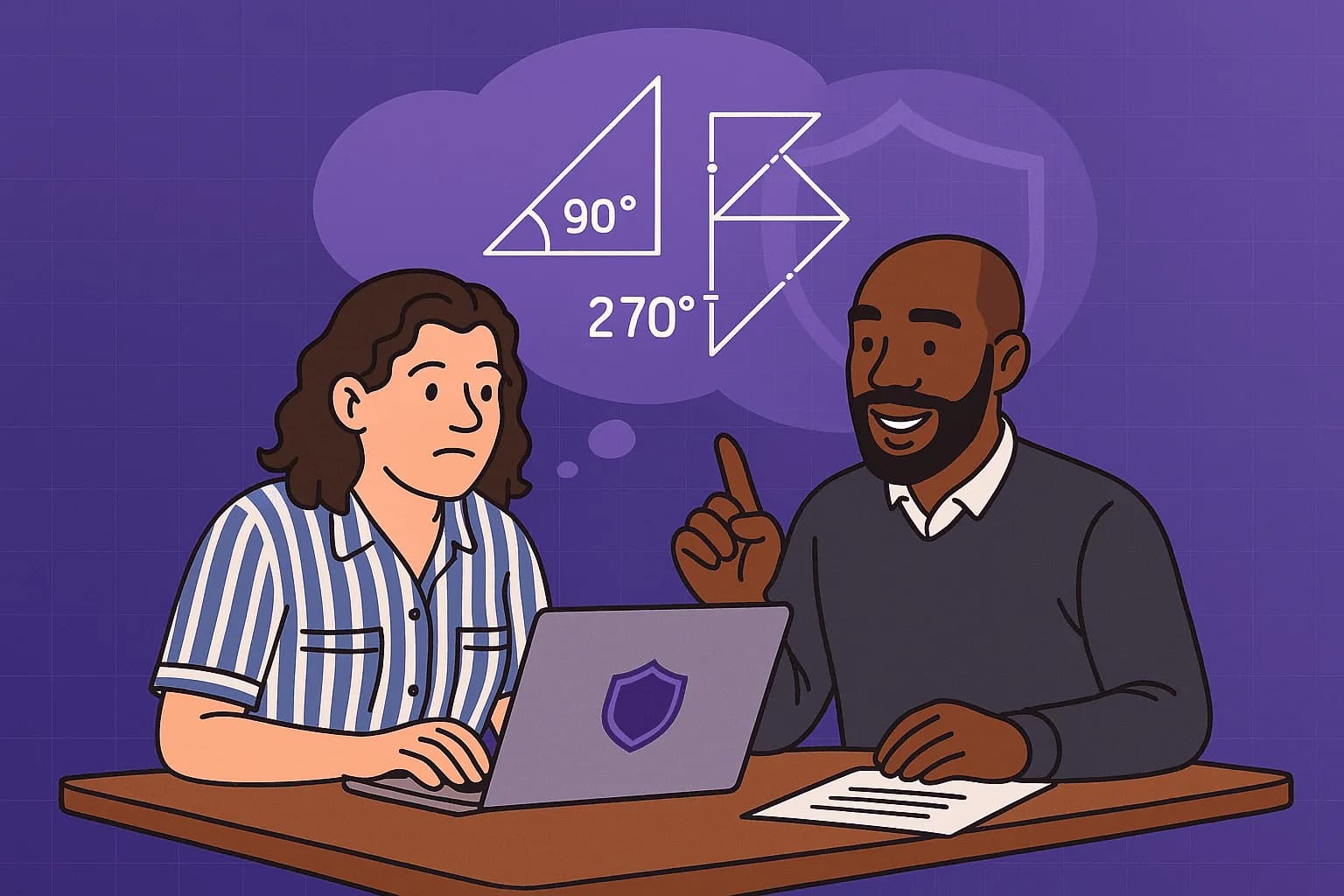
On screen, the angle was 90°.
On the miter saw, that same cut was recognized as 0°.
Some cuts required 90°.
Some required 270°.
Some needed to flip depending on inside versus outside orientation.
You solved 95% of the logic.
And when it worked, it looked like automation.
But that stubborn 5% of instances—the ambiguous edges, the flipped frames, the conversion anomalies—kept the automation from being truly production-safe.
So you did the responsible thing:
You ran it as a script, fixed the outliers manually, and eventually retired the algorithm.
That is not failure.
That is senior-level judgment.
What CAD Automation Professionals Must Understand
Automating engineering is not the same as automating web forms or databases.
Our work deals with:
- Geometry that behaves differently in theory versus reality.
- Conventions that vary by industry, machine, region, or even shop floor culture.
- Edge cases that only appear when metal warps, walls curve, or tolerances stack.
- Tools that represent identical angles in different coordinate systems.
- Human expectations that are not mathematically consistent.
The last 5% isn’t just harder. It’s often governed by physical constraints or unpredictable human inputs.
So here is the mindset:
Your job is not perfection. Your job is manageable reliability plus a scalable path forward.
Section 1 — When You Can’t Solve the Last 5%
Here are the most common signals that you’re facing a problem that shouldn’t be forced to 100%:
1. The last remaining scenarios contradict each other
If solving Case A breaks Case B, the domain may contain inconsistent rules.
2. Stakeholders cannot articulate the exception logic
If you hear “we’ll know it when we see it,” automation cannot be deterministic.
3. Physical tools use different reference systems
Example:
- CAD shows 90°
- Saw shows 0°
- Real world interprets it as 270° These mismatches require conversion logic, not brute force.
4. The “fix” would increase complexity more than reliability
When the code becomes more fragile than the problem.
5. The client or department does not have the appetite for uncertainty
Production automation demands predictable risk.
Understanding these signals early prevents burnout and scope creep.
Section 2 — What To Do Instead: The Professional Playbook
When perfection isn’t reachable, you pivot to structured containment. These strategies prevent failure, save the project, and protect your career.
Strategy 1 — Partition the logic into micro-functions
In your miter example, one function should have handled:
- CAD→Saw angle conversion Another should have handled:
- Inside vs outside orientation A third could have handled:
- Over/under 180° flip conditions
Separation of concerns often exposes where the remaining 5% truly lives.
Strategy 2 — Build a fallback mode
Allow the automation to generate:
- 95% of correct results
- Plus an explicit flag when human intervention is recommended
A fallback mode turns an unreliable automation into a powerful accelerator script.
Strategy 3 — Add a “confidence score”
Instead of forcing correctness, give the user visibility:
- “High confidence cut: auto-approved”
- “Low confidence: review required”
Users trust automation more when it tells them what it doesn’t know.
Strategy 4 — Include SME review loops
Bring in:
- A math SME
- A geometry SME
- A machinist
- An operator who knows the tool better than the drawings
Five minutes with the right SME can replace 40 hours of debugging.
Strategy 5 — Create a library of exception cases
Save every failure scenario and label it.
Over time, these become patterns.
Patterns become rules.
Rules become automation.
You rarely solve the last 5% all at once.
You solve it one exception at a time across projects.
Strategy 6 — Protect your mindset
This work is mentally brutal if you internalize every unsolved problem.
You are not a failure for not hitting perfection.
You are a professional managing complexity.
Section 3 — The Career Reality: You Are Not Fired for the 5%
The emotional burden of being a CAD automation developer is real.
The workflow feels great when the ordinary cases run cleanly.
You feel disposable when something breaks.
But the truth is:
No CAD automation engineer solves every problem.
The ones who survive long-term know how to handle the problems that won’t fully yield.
Your value is not:
- 100% correctness. Your value is:
- Pattern recognition
- Speed of experimentation
- Ability to simplify
- Ability to contain risk
- Ability to improve future projects
- Ability to raise the entire team’s capability
A 95% solution that saves 80 hours of drafting time is a win—even if you need 10 minutes of manual correction afterward.
Section 4 — When to Retire an Algorithm
Sometimes the correct decision is to let an algorithm go.
Just like your miter solution, even with huge potential.
Retirement is the correct path when:
- Exceptions outweigh benefits
- Debugging costs exceed manual correction
- The industry toolchain introduces inconsistencies
- Users cannot rely on the output
- The algorithm creates more confusion than clarity
You didn’t fail.
You protected the production environment.
Section 5 — Closing: You Are Allowed to Be Great Without Being Perfect
The CAD automation field is made of hard problems, incomplete rules, physical realities, and human interpretation.
You will be a hero some days.
You will be frustrated on others.
But the professionals who thrive are the ones who understand:
The goal is not perfection.
The goal is rapid progress, controlled accuracy, and sustainable automation that gets better over time.
If you’re hitting 95% today, you’re doing the work that most people can’t even attempt.
The last 5% isn’t a failure.
It’s an invitation—to learn, to collaborate, and to grow your career.
If you have a stronger algorithmic approach to a hard CAD automation edge case, CAD Guardian is open to peer collaboration when the work can be reviewed safely and client boundaries stay protected.
How to use this article
Use this as a working lens for CAD automation collaboration, drafting intent, workflow design, and reviewable outputs. If the problem is a software leadership evaluation, route it through TSmithCode proof. If the problem is a scoped automation, CAD platform, data, or delivery engagement, route it through CAD Guardian so the first phase has clear boundaries, acceptance evidence, and a handoff path.
Related reading